Keywords
Pygame, Game Dev, Physics Engine, Artificial Intelligence
Game trailer
Premise
Welcome to the 2D platformer created entirely by me titled Where’s My Bread. The game has two goals to be awarded the maximum points. One of the game’s objectives is to collect as many pieces of bread as are scattered around Paris, France. The second objective is reaching the end goal flag as quickly as possible. In a way, if you think of Super Mario Bros it is the same concept entirely, except the two features of the game have been split up. The backstory of this game is that we have a baker whose bread was stolen and was therefore scattered around the city of Paris. Because there has yet to be a release of version 2.0.0 +, we have not met all the characters that could have possibly been in the realm of Where’s My Bread. Future releases will come as I find free time for myself.
Design
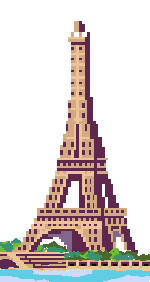
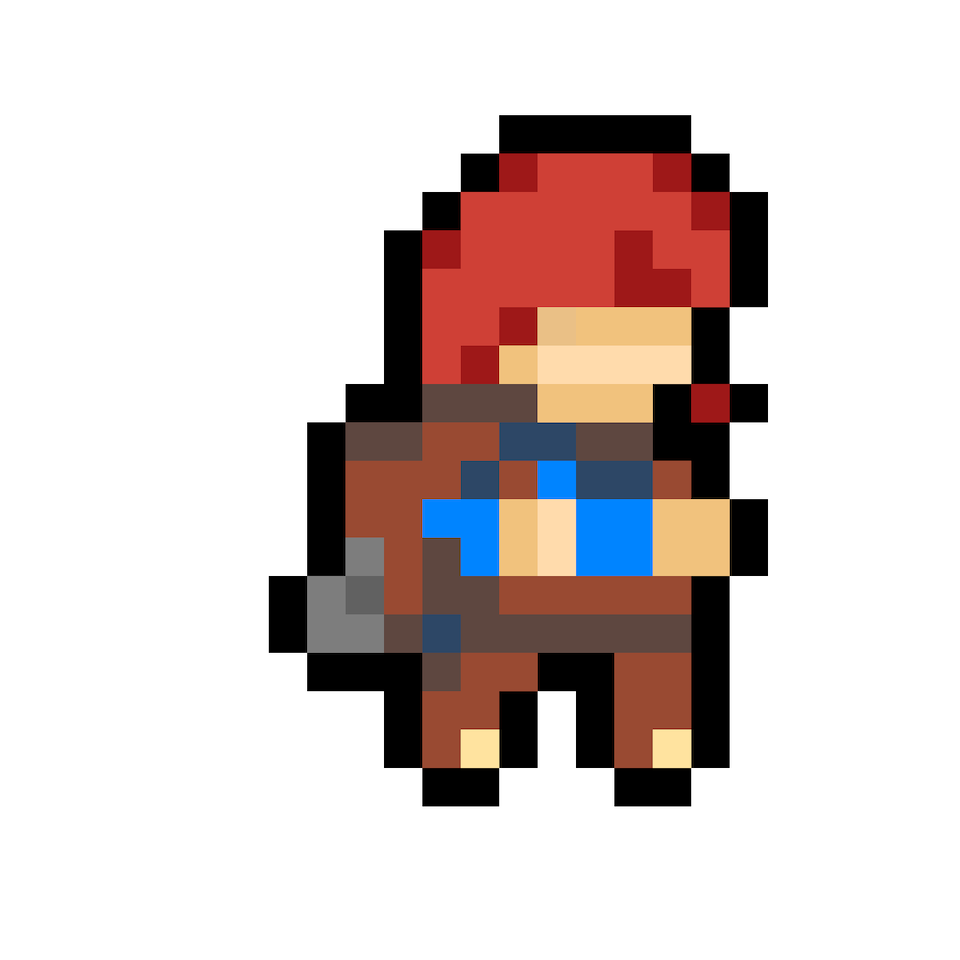
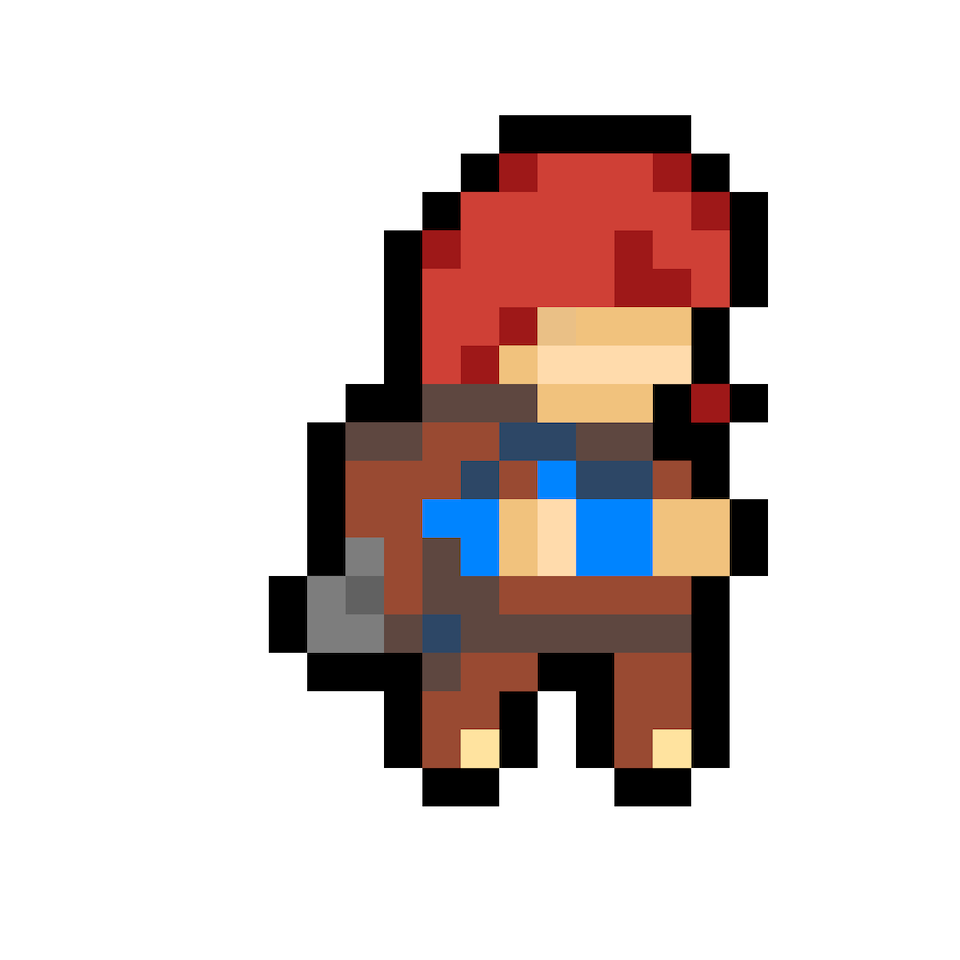
The longest part of the game development came from the art itself. Having to hand draw everything from the players to the enemies, even to the backdrop of Paris and the Eiffel Tower, took nearly two and a half weeks of work. I used the Aesprite software to draw everything. The character design is widely inspired and has the exact dimensions from one of my favorite video games, Madelin from Celeste.
Physics Engine
Creating a video game makes you question what we take for granted. In the context of games, that is all of physics, from the amount of time we can jump once we hit the floor to understand what exactly is a “floor.” One of the best aspects of creating this game was customizing how high a player could jump or how fast gravity brought them to the floor. I will share within the Player class how movement works in my game. Though I will not explain it in much detail in this article, I have documented the code in a way so that anyone can see what the blocks of code are doing relative to the player action
Code
1
2
3
4
5
6
7
8
9
10
11
12
13
14
15
16
17
18
19
20
21
22
23
24
25
26
27
28
29
30
31
32
33
34
35
36
37
38
39
40
41
42
43
44
45
46
47
48
49
50
51
52
53
54
55
56
57
58
59
60
61
62
63
64
65
66
67
68
69
70
71
72
73
74
75
76
77
78
79
80
81
82
83
84
85
86
87
88

def move(self, moving_left, moving_right):
       '''
       tracking movement, sees if movement keys have been activated

       :param moving_left - checks to see if moving left key has been activated
       :param moving_right - checks to see if moving right key has been activated
       '''
       # reset movement variables
       screen_scroll = 0
       dx = 0
       dy = 0

       # assign movements variables if moving left and right
       if moving_left:
           dx = -self.speed
           self.flip = True
           self.direction = -1
       if moving_right:
           dx = self.speed
           self.flip = False
           self.direction = 1

       #jumping movement
       if self.jump == True and self.in_air == False:
           self.vel_y = -9
           self.jump = False
           self.in_air = True

       # apply gravity
       self.vel_y += GRAVITY
       if self.vel_y > 10:
           self.vel_y
       dy += self.vel_y

       #check for collision
       for tile in world.obstacle_list:
           # check collision in the left and right direction
           if tile [1].colliderect(self.rect.x + dx, self.rect.y, self.width, self.height):
               dx = 0
               # if ai has hit wall make it turn around
               if self.char_type == 'enemy2':
                   self.health += 1000
                   self.direction *=-1
                   self.move_counter = 0
           #check for collision in the y direction
           if tile [1].colliderect(self.rect.x, self.rect.y + dy, self.width, self.height):
               # check if below the ground, i.e jumping
               if self.vel_y < 0:
                   self.vel_y = 0
                   dy = tile[1].bottom - self.rect.top
               # check if above the ground, i.e falling
               elif self.vel_y >= 0:
                   self.vel_y = 0
                   self.in_air = False
                   dy = tile[1].top - self.rect.bottom

       # check for collision with water
       if pygame.sprite.spritecollide(self, water_group, False):
           self.health = 0

       # check for collision with exit
       time_complete = False
       if pygame.sprite.spritecollide(self, exit_group, False):
           time_complete = True

       # check if fallen off the map
       if self.rect.bottom > SCREEN_HEIGHT:
           self.health = 0

       #check if going off the edges of the screen
       if self.char_type == 'player1':
           if self.rect.left + dx < 0 or self.rect.right + dx > SCREEN_WIDTH:
               dx = 0

       # update rectangle (hitboxes) position
       self.rect.x += dx
       self.rect.y += dy

       #update scroll based on player position
       if self.char_type == 'player1':
           if (self.rect.right > SCREEN_WIDTH - SCROLL_THRESH and bg_scroll < (world.level_length * TILE_SIZE) - SCREEN_WIDTH)\
               or (self.rect.left < SCROLL_THRESH and bg_scroll > abs(dx)):
               self.rect.x -= dx
               screen_scroll = -dx

       return screen_scroll, time_complete
In the above code segment, just in the movement section alone, I had to engineer how movement worked, how gravity worked, the height of jumping, checking collision between immobile objects (floors, walls), checking for collision with water/cars (instant death), how the game would react if I fell off the screen, as well as have a continuous scrolling feature since that looked real since the background is not fixed.
Enemy Artificial Intelligence
One of the exciting parts of implementing a video game was implementing a set of enemy ai that would try to cause discourse to the player. Since the game’s objective is not to let the user reach the goal so quickly, we implemented these mafia men who would shoot at the player if they were within their line of sight. There were also car ai’s within the game that would try to run you over if you did not dodge them; however, the car ai is identical to the mafia men except they did not shoot at the player.
Enemy Movement
When it came to the AI movement, I implemented randomness as a way of when to change directions while pacing back and forth. This was to ensure that the enemies never fell off the screen and never walked continuously forever in a single direction. Randomness is a common theme in machine learning and AI, and the big idea was to set some cool-down errors for the AI to make a pacing back-and-forth feature. To do this, we had a boolean expression of the following:
random.randint(1, 200) == 1:
The above code says that our AI will choose a random integer from the range 1 to 200. If the random integer selected is 1 then the AI will switch direction. So, in theory, the AI has a \(\frac{1}{200}\) chance of changing direction. Though this seems like a relatively small probability for the AI to switch directions, let us not forget how many computations are immediately processed within the game. When playing the game, the number of times the AI switches direction seems natural instead. However, our AI has a 0.5% chance of switching directions.
Enemy Attack
In addition, we had to devise a way for when the enemy attacked the player. Therefore we made these vision rectangles that emulated vision. This was one of the relatively cool features of the game, and hitboxes are very conventional across most video games involving any form of AI in the user interface.
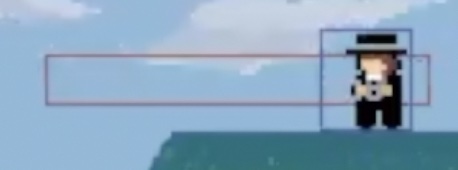
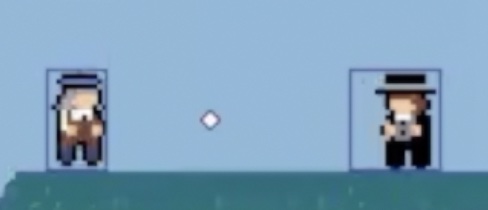
In the images above, we can see what I briefly described in the previous paragraph. Each player and enemy had their rectangular hit box drawn in blue. Then the enemies had a red vision box, where if the player ever entered it, it would signal our Ai to begin shooting at the player. However, as the player, you are given a little under a second to react and dodge the projectile coming your way so that there would be some fairness to the game. The code for these concepts can be seen within our ai method within our Player class.
Code
1
2
3
4
5
6
7
8
9
10
11
12
13
14
15
16
17
18
19
20
21
22
23
24
25
26
27
28
29
30
31
32
33
34
35
36
37
38
39
40
   def ai(self):
       '''
       computer controlled mafia men
       feat1: move left and move right
       feat2: idle around randomly
       feat3: shoot if within range of vision box
       '''
       # checks if ai should be active
       if self.alive and player.alive:
           if self.idling == False and random.randint(1, 200) == 1:
               self.idling = True
               self.idling_counter = 500
           #check if ai is near the player
           if self.vision.colliderect(player.rect):
               #stop running and face the player
               self.shoot()
           # pacing back and forth
           else:
               if self.idling == False:
                   if self.direction == 1:
                       ai_moving_right = True
                   if self.direction == -1:
                       ai_moving_right = False
                   ai_moving_left = not ai_moving_right
                   self.move(ai_moving_left, ai_moving_right)
                   self.move_counter += 1
                   # update ai vision as the enemy moves
                   self.vision.center = (self.rect.centerx + 50 * self.direction, self.rect.centery)

                   #pygame.draw.rect(screen, RED, self.vision, 1) # draw vision rectangle

                   if self.move_counter > TILE_SIZE:
                       self.direction *= -1
                       self.move_counter *= -1
               else:
                   self.idling -= 1
                   if self.idling_counter <= 0:
                       self.idling = False
       #scroll
       self.rect.x += screen_scroll
Code
This was an independent project done in the summer of 2021. Building a game from scratch was one of the most extended projects I have embarked on, and have wished to make a higher-level game real soon on a better game engine
audio - contains music for the game
buttons - contains the 8-bit art buttons files (.png)
img - contains character, enemy, level, and background sprites in 8-bit art
button.py - a file to generate buttons within the pygame environment
highscore.txt - a .txt file that saves the highest score
level1_data.csv - the design of the platformer based on numerical arrays
level_editor_tut.py - the platform level editor
paris.py - the main source code for the game
scores.txt - a .txt file that saves the last played score
How to play game
Make sure you have pygame package installed
pip install pygame==1.9.6
Then run command
python3 paris.py